Aniimo Mobile Pre-Download Now Available! Coming to All Platforms on September 23!
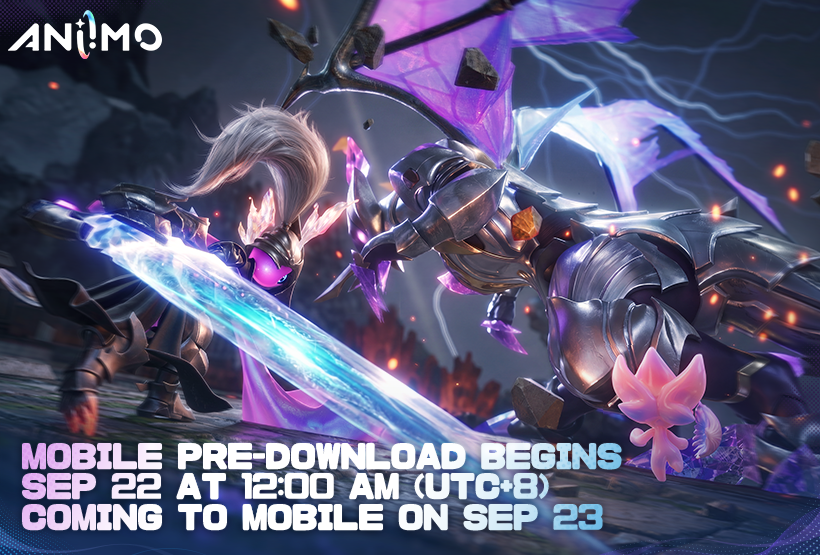
Aniimo mobile pre-download is now available as of September 22, 2026, at 00:00 (UTC+8), with the game officially launching on all platforms on September 23, 2026, at 10:00 (UTC+8)!
Pathfinders, follow the guide below to pre-download and install the game ahead of launch.
Pre-Download Details
■ Start Time: September 22, 2026, 00:00 (UTC+8)
■ Available Platforms: Google Play / App Store
■ Google Play: Download Link
■ App Store: Download Link
■ Important Notes:
Please make sure you have at least 18 GB of free storage space and a stable Wi-Fi connection before downloading.
Mobile Launch Date
[Aniimo-America] September 22, 2026, 22:00 (UTC-4)
[Aniimo-Europe] September 23, 2026, 02:00 (UTC+0)
[Aniimo-Apac] September 23, 2026, 10:00 (UTC+8)
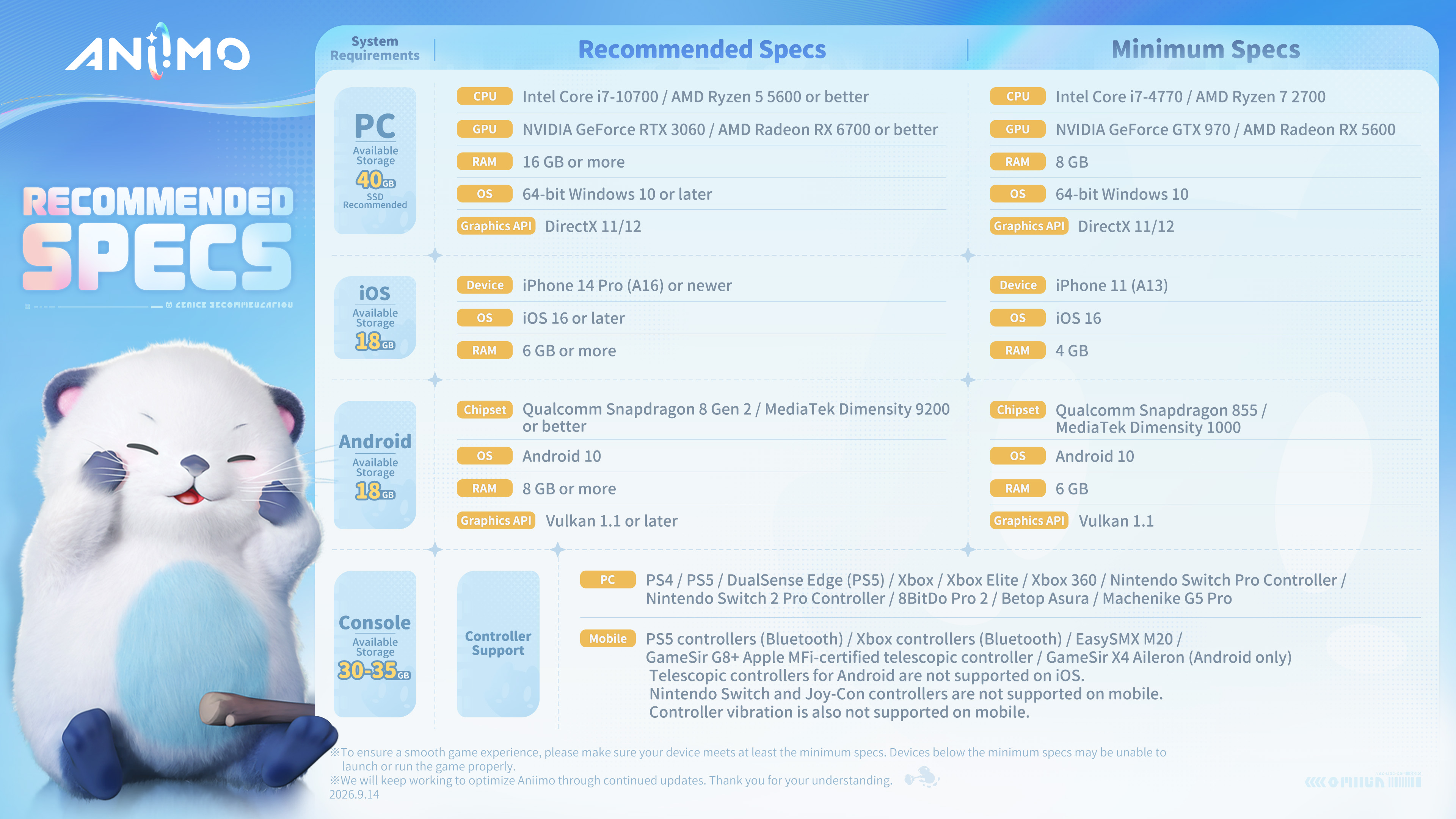
Recommended Specs
To ensure smooth installation and gameplay, please check the device requirements below:
These recommended specifications were last updated on September 14, 2026. As we keep improving Aniimo’s compatibility across devices, these specifications may change. Please refer to the official website for the latest specifications.
FAQ
I. Account Questions
1. Is account data shared across PC, console, and mobile?
Data on different servers is independent. Game progress is fully shared across all platforms within the same server.
2. I used a Steam account in a previous beta test, but now I’ve logged into Aniimo with a different email account. Can my test rewards carry over to the new email account?
Yes. You can link your Steam account to your Aniimo Pass email account.
Download the Steam client, and after logging in you’ll be prompted to link an Aniimo Pass email account. You can complete the link right there.
If you skip this step and go straight into the game, you can link later through the in-game [Email Link] page.
3. How does third-party login and email linking work?
When you first log in with a third-party platform account, you’ll see a "Link Email" prompt. If you’d like to log into this account on another platform or transfer your game progress from another platform, please link an email address.
If you previously pre-registered for Aniimo, participated in an earlier test, or took part in a pre-launch web event using an email address, enter that email address in the prompt and complete verification to link it. Your pre-registration, test, and event rewards will then be delivered to your corresponding in-game account.
If you choose "Skip," you may lose game progress and launch rewards associated with other accounts.
* Important Notes:
One email address can be linked to multiple third-party platform accounts, but each third-party platform account can only be linked to one email address.
II. Mobile Questions
1. Does the mobile version support 60 FPS?
Yes! To provide a smoother gameplay experience, we’ve enabled a 60 FPS mode, except on a small number of lower-end devices. Running the game at 60 FPS may cause your device to heat up. We recommend enabling it based on your device’s capabilities. You can also lower the graphics quality or rendering scale to help reduce heat.
2. Is the mobile version optimized for tablets and other large-screen devices?
Yes! We’ve optimized Aniimo for large-screen devices. Large-screen mode will be enabled automatically, along with a higher rendering scale. Higher rendering scale requires more processing power, so you can adjust the graphics quality and rendering scale based on your device to find the right balance between visual quality and performance.
3. I still have the client from a previous test. Do I need to re-download?
Yes. Clients from previous tests can no longer be used. Please uninstall them, then download and install the latest game client.
4. My Android device says it’s incompatible or won’t install—what do I do?
① Check where your installer came from first—we recommend downloading only from official channels.
② Check whether your phone supports Vulkan 1.1. Some older devices have GPUs that don’t support the Vulkan 1.1 graphics driver, which can block installation or stop you from entering the game.
III. Network & Login Errors
1. My download is stuck, rolling back, or frozen at 0%—what do I do?
Try the following:
① Switch between Wi-Fi and mobile data.
② Turn off any VPNs, proxies, Private DNS settings, or ad blocking tools.
③ Restart your router, and connect to 5 GHz Wi-Fi if you can.
④ Free up storage space before downloading again—low storage can also cause it to get stuck at 0%.
If the issue persists, uninstall and reinstall the game, or try downloading again during off-peak hours.
2. I’m getting a network error and can’t connect to the server—what do I do?
Try the following:
① Turn off any VPN or proxy; on iOS, turn off iCloud Private Relay.
② Restart your phone and router.
③ Switch between Wi-Fi and mobile data.
④ Check your router's firewall settings and whether your carrier’s DNS is hijacking or redirecting your connection.
⑤ Servers are under heavy load during peak download and launch periods—please try again later.
3. I keep getting disconnected, with erratic latency and packet loss in-game—what do I do?
① Check your network settings—2.4 GHz Wi-Fi is more prone to interference, so use 5GHz when you can. On iOS, we recommend turning off Wi-Fi Assist.
② Check whether another device on your network is downloading or livestreaming and eating up your bandwidth.
③ On mobile data, moving around while playing can easily cause signal drops.
④ Logging in from a different region adds latency—choose a server in your own region for the best connection.
4. My downloads or updates are running slowly—what do I do?
① Download and update over Wi-Fi when possible.
② CDN congestion is common during peak hours—updating off-peak helps.
③ Check whether your carrier is throttling your connection or blocking/intercepting DNS queries.
Check Test Rewards
The Test Reward Redemption page for Aniimo is now open. If you participated in a previous test, head to the official website or the in-game reward redemption page and log in with the account you used for the test to check your available test-exclusive rewards and any Aniimo eggs archived in the "Bonded Promise" event.
Visit the Test Reward Redemption page here: https://www.aniimo.com/act/rebate/en/
Official Customer Support
If you run into any issues during pre-download, please contact Aniimo’s official support: support_en@aniimo.com